
dbt AI: Usage metering and limiting

dbt AI usage is measured based on the number of completed AI requests, known as dbt Copilot actions. Usage limits are enforced to ensure fair access and system performance.

What's changing on September 1, 2026

From September 1st, 2026, there are a couple of changes coming to dbt AI features:

  • AI features will turn on by default for dbt platform accounts on Developer, Starter, Enterprise, and Enterprise+ plans. If your organization already opted out of AI features, they stay off.
  • dbt Wizard will move to usage-based billing for dbt managed AI. An admin will be able to turn AI features off at any time.

Detailed product docs for both changes are on the way. Check back closer to September 1st for setup steps and billing details.

Refer to dbt Wizard billing and access FAQs for more info.

A defined number of dbt Copilot invocations is allocated monthly based on your subscription plan. Once the usage limit is reached, access to dbt AI will be temporarily disabled until the start of the next billing cycle.

dbt Wizard has drawn from your existing dbt Copilot included action allotment as a temporary compatibility bridge. From September 1, 2026, dbt Wizard usage will be metered separately as dollar-based usage against your consumption pool. Pricing and usage are subject to change.

Viewing usage in the product​

To view dbt Copilot usage in your account:

  1. Navigate to Account settings.

  2. Select Billing under the Settings header.

  3. On the billing page, click the Copilot Actions tab to view your usage.
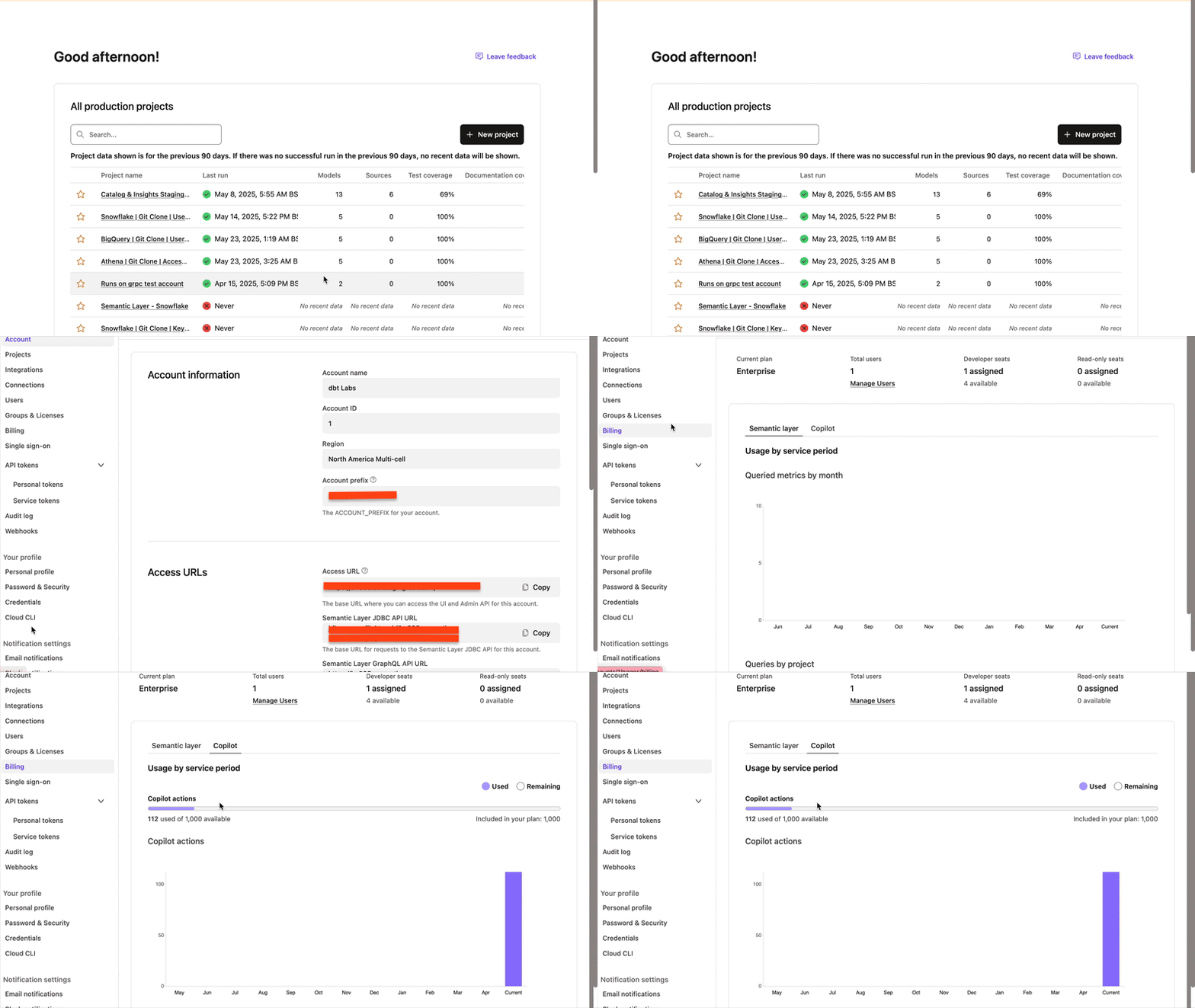
View usage in dbt CopilotView usage in dbt Copilot

dbt Wizard billing​

dbt Wizard is metered by dollar-based usage rather than a count of dbt Copilot actions.

For trials, consumption pools, spend limits, and BYOK billing, refer to dbt Wizard billing and access FAQs.

FAQs​

 Temporary dbt Copilot Actions bridge (through July 13, 2026)

As a temporary compatibility bridge, dbt Wizard drew from your existing dbt Copilot included action allotment through July 13, 2026 or longer (timeline subject to change).

From September 1, 2026, dbt Wizard usage is metered separately.

Users that bring their own key (BYOK) aren't affected by this bridge.

 AI usage tracking by dbt Copilot actions

dbt Copilot actions refer to requests made to the dbt Copilot assistant through the dbt interface. These actions are recorded and displayed on the billing page alongside other usage metrics by accessing the Copilot Actions tab in the Billing page.

The following interactions count as dbt Copilot actions:

  • Each inline generation — Every time dbt AI writes or suggests code in your file, it counts toward your usage limit.

  • Each generation of documentation, tests, semantic models, or metrics — Any time you ask dbt AI to automatically create things like documentation, tests, data models, or metrics, it counts as one interaction.

  • Each generation within dbt AI chats on Canvas or Insights — Any time you use dbt Copilot chat in Canvas or Insights to generate something, it counts as an interaction.

 Allowed limits on number of dbt Copilot actions per month per license

The following table outlines the limits of dbt Copilot actions by plan per month:

PlanLimit
Developer❌
Starter*100
Legacy Enterprise**1,000
Enterprise5,000
Enterprise+10,000

*Team plan customers who enrolled in dbt Copilot Beta prior to March 19, 2025 have access to dbt Copilot. All other legacy Team plan customers must move to the Starter plan or above to get access.

**Enterprise-tier customers on plans enrolled prior to May 1, 2025 (including legacy Business Critical) have a limit of 1,000 dbt Copilot actions per month. To get a higher allotment, move to the current Enterprise or Enterprise+ plan.

 Notifications when limitations are reached

When usage limits are reached, a notification appears in the UI. Additionally, an email notification is sent to the designated recipient.

For users on the Starter plan, the account owner receives an email notification when the usage limit is reached.

For users enrolled on the Enterprise and Enterprise+ plans, both the billing administrator and the account administrator are notified by email when the usage limit is reached.

Once usage limits are reached, attempts to perform an action in dbt Copilot triggers a banner notification indicating that the limit has been exceeded.

Under Bring Your Own Key (BYOK), usage is not tracked by dbt AI and is subject to your OpenAI limits.

Was this page helpful?

This site is protected by reCAPTCHA and the Google Privacy Policy and Terms of Service apply.

0
Loading